One of our team will be in touch with you shortly, in the mean time why not register an account with Orbit Spaces to access our spaces now.
Hybrid meetings are now a normal part of working life, but running one well is harder than it looks. When some people share a room and others join by video, it is easy for the remote side to feel like an afterthought. This guide explains what a hybrid meeting room is, what equipment it needs, and how to run a session where everyone takes part equally.
We will also cover the mistakes that quietly ruin hybrid meetings and how hiring a properly equipped room removes most of the risk. Whether you run team catch-ups, client pitches or training days, the aim is the same, a meeting where being in the room or at home makes no difference to how well you can contribute. Our flexible meeting rooms across the North West are set up to make that easy.
A hybrid meeting is a meeting where some people attend in person, together in a room, while others join remotely through video conferencing software such as Teams or Zoom. It blends face-to-face and virtual attendance in a single session, so a team split across locations can still meet as one group.
The format took hold as hybrid working became standard, and it is now the default for many businesses. It gives people the flexibility to join from wherever they are, while keeping the focus and connection that come from having part of the group in the same room. Done well, it offers the best of both worlds; done badly, it frustrates everyone.
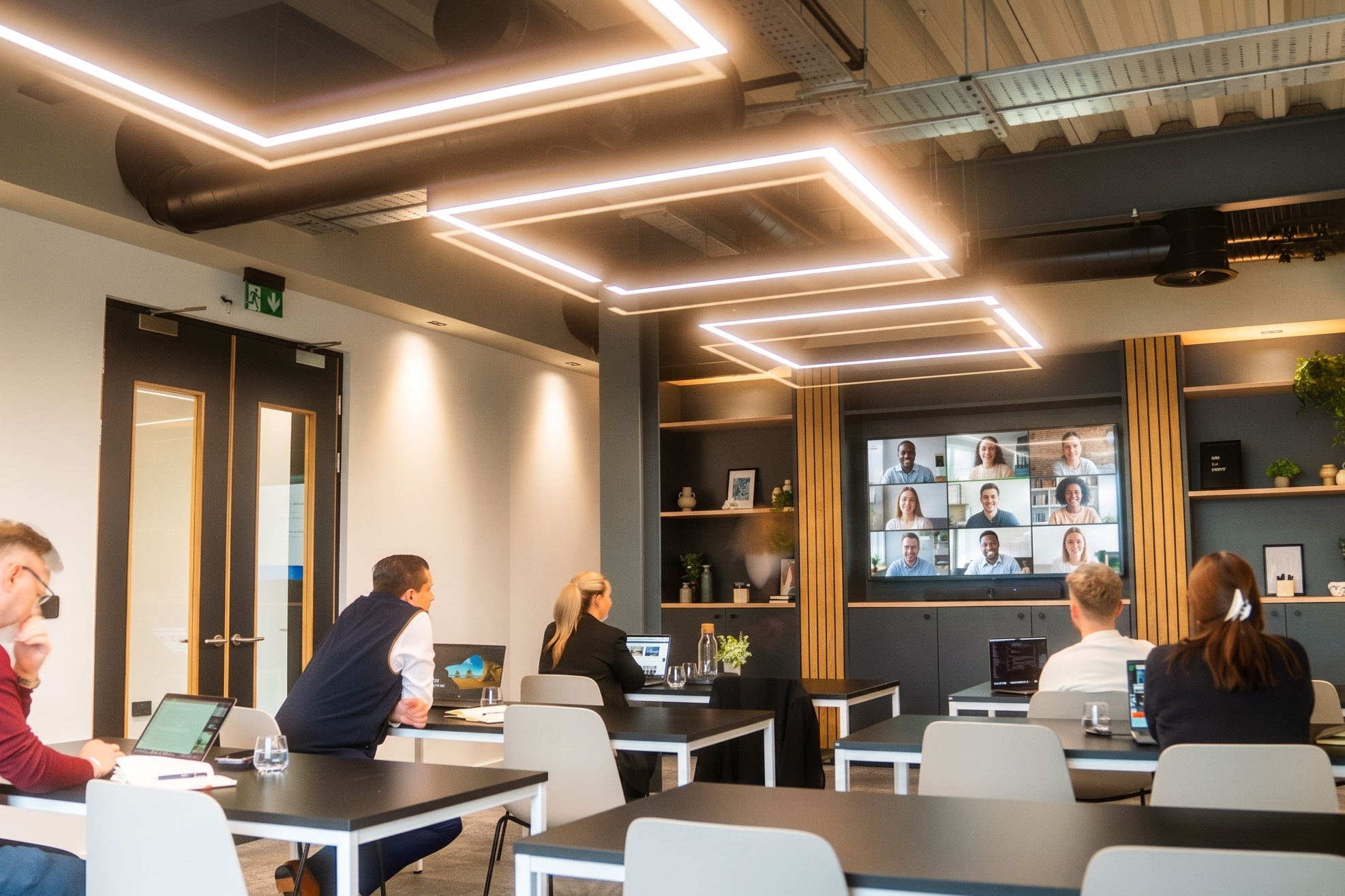
A hybrid meeting room is a meeting space set up so that in-person and remote participants can see, hear and take part in the discussion equally. At a minimum that means a camera that shows the room, clear audio so every voice carries, a screen large enough to display remote faces and shared content, and a fast, reliable internet connection.
The difference between a hybrid meeting room and an ordinary one is that the technology is built in and balanced for both audiences. A laptop propped on a table might connect the call, but it rarely lets remote people hear everyone or feel present. A proper hybrid room removes that imbalance, which is why more businesses now hire one for meetings that matter.
The appeal of hybrid meetings is obvious: they save travel, widen attendance, support flexible working and let a dispersed team meet without everyone commuting. Those benefits are real, and they are why the format is here to stay. The problem is that the benefits only land when the meeting is run well.
When it is run badly, the cost is just as real. Remote participants who cannot hear clearly or get a word in start to disengage, and decisions end up being made by whoever is loudest in the room. Over time that erodes trust and makes remote colleagues feel like second-class attendees. Getting the setup and the facilitation right is what turns a hybrid meeting from a compromise into a genuine advantage.
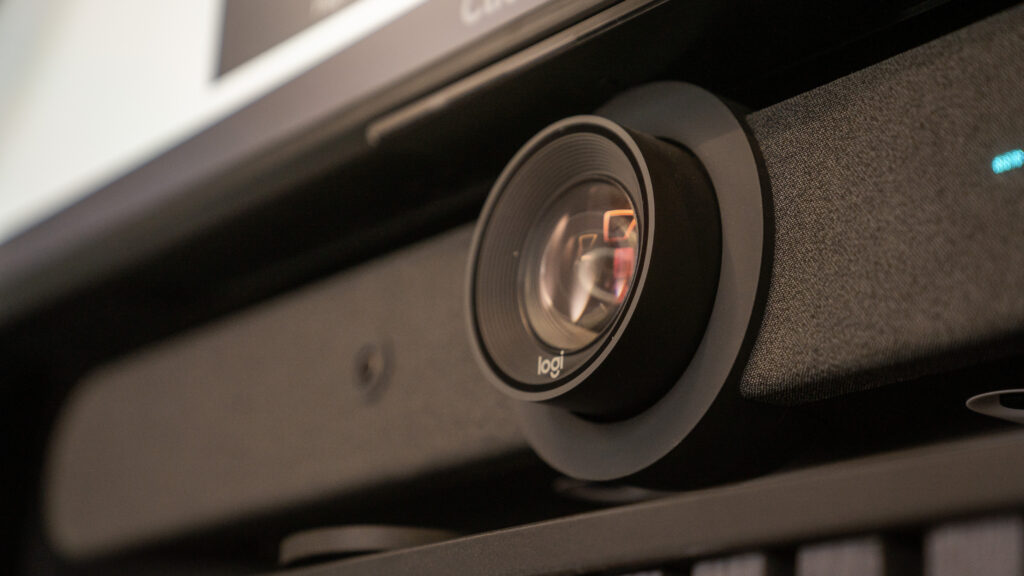
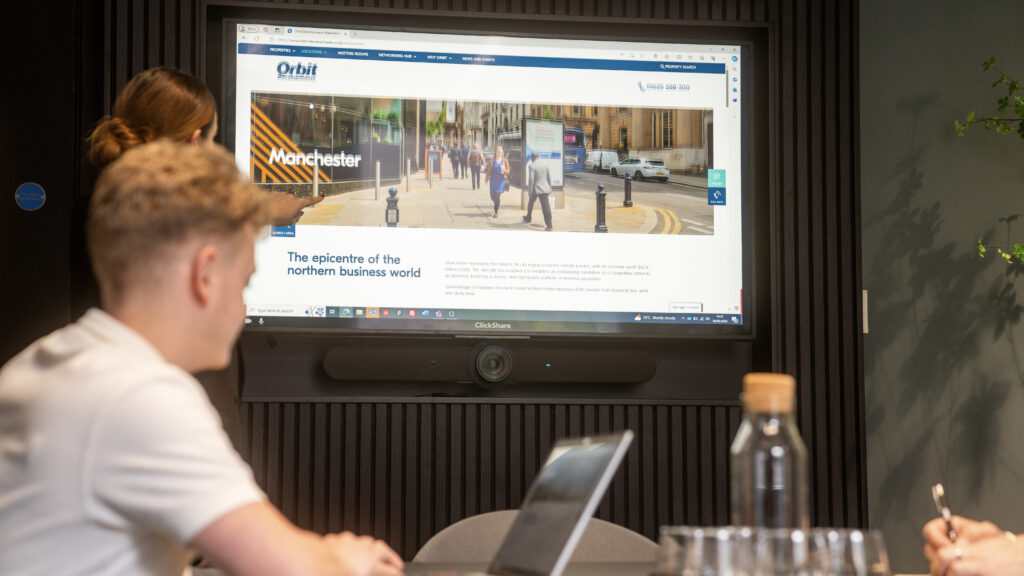
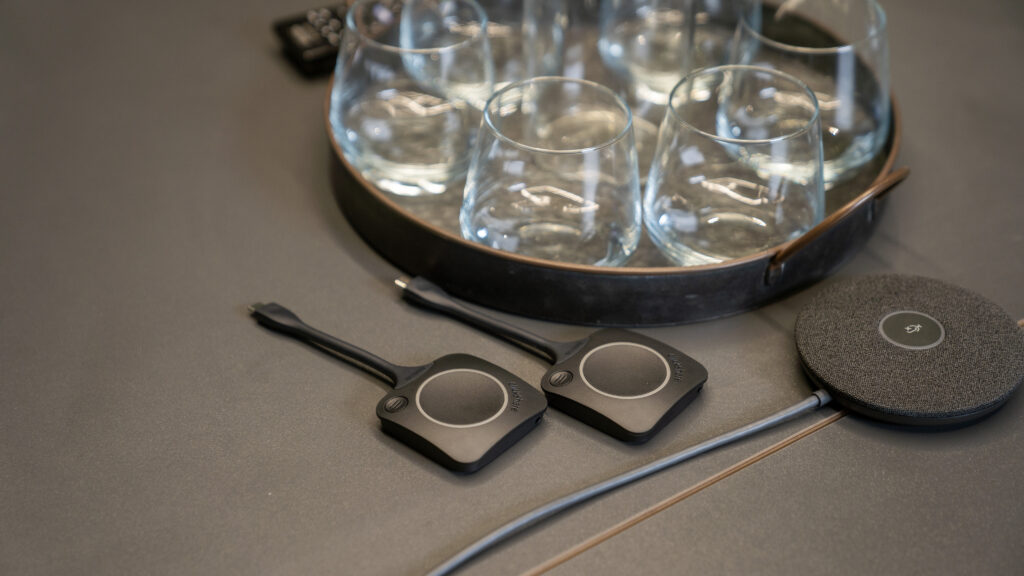
A good hybrid meeting room needs four things: a camera that captures the room, clear audio for everyone, a large screen for faces and content, and fast, stable internet. Get those right and most hybrid meeting problems disappear. Here is what each one does and why it matters.
A camera lets remote participants see the room and read the body language they would otherwise miss. Clear audio is the single most important element, because people forgive poor video far more readily than they forgive not being able to hear. A large display shows remote faces at a sensible size alongside any shared screen, so the people at home stay part of the conversation rather than shrinking into a corner. Reliable, high-speed internet holds it all together and prevents the drop-outs that derail a call. These are the same essentials that separate a good meeting room from a poor one, with the video and audio doing extra work.
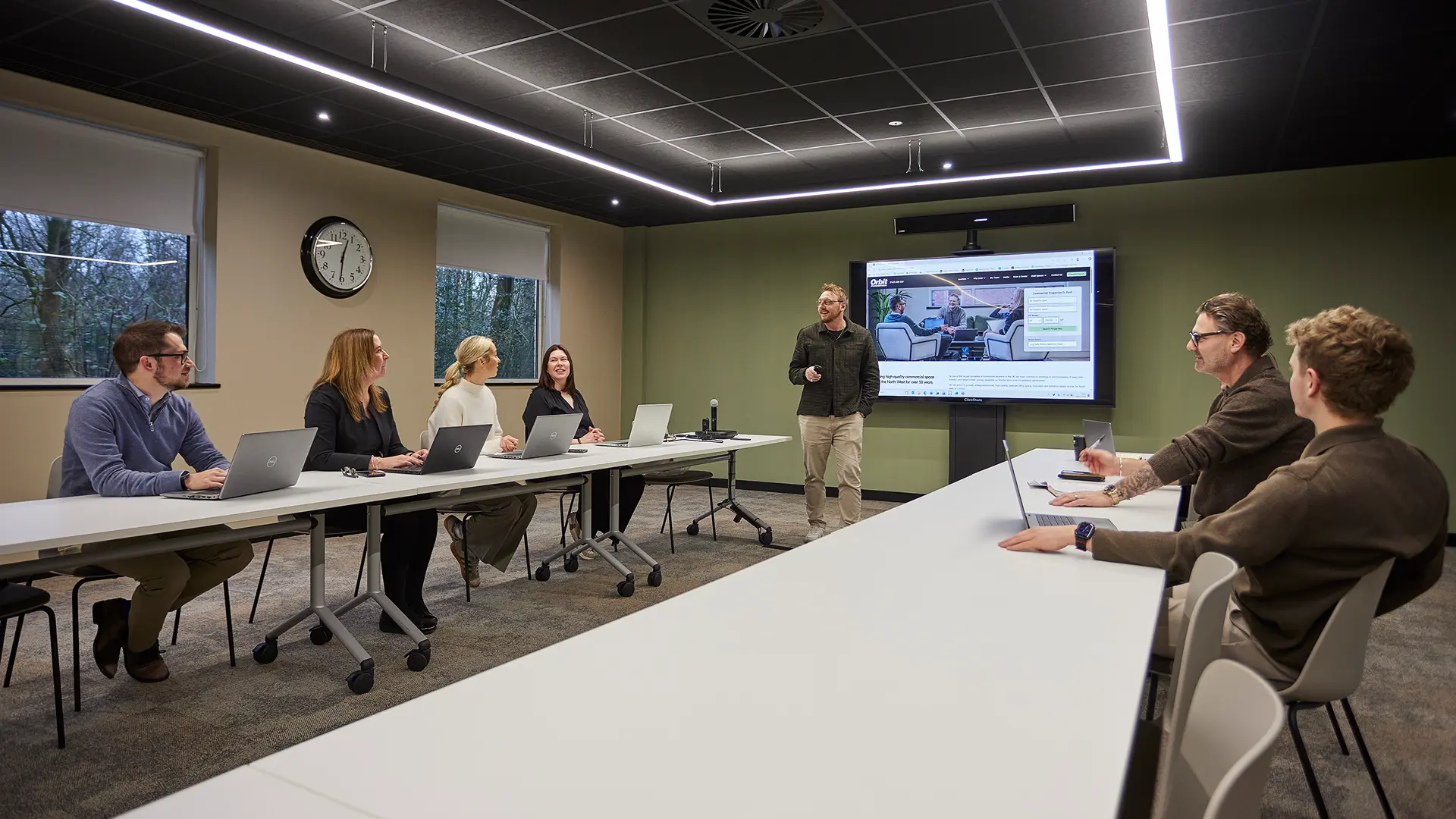
At Orbit Spaces, every meeting room comes ready for this. Our rooms include video conferencing, wireless presentation and high-speed internet as standard, with large displays throughout, from a 65-inch screen in our smaller Manchester room up to a 98-inch screen in our largest. Larger spaces such as Room 2 at The Point in Warrington add a wireless PA system for bigger groups, so you are not relying on a laptop to carry the room.
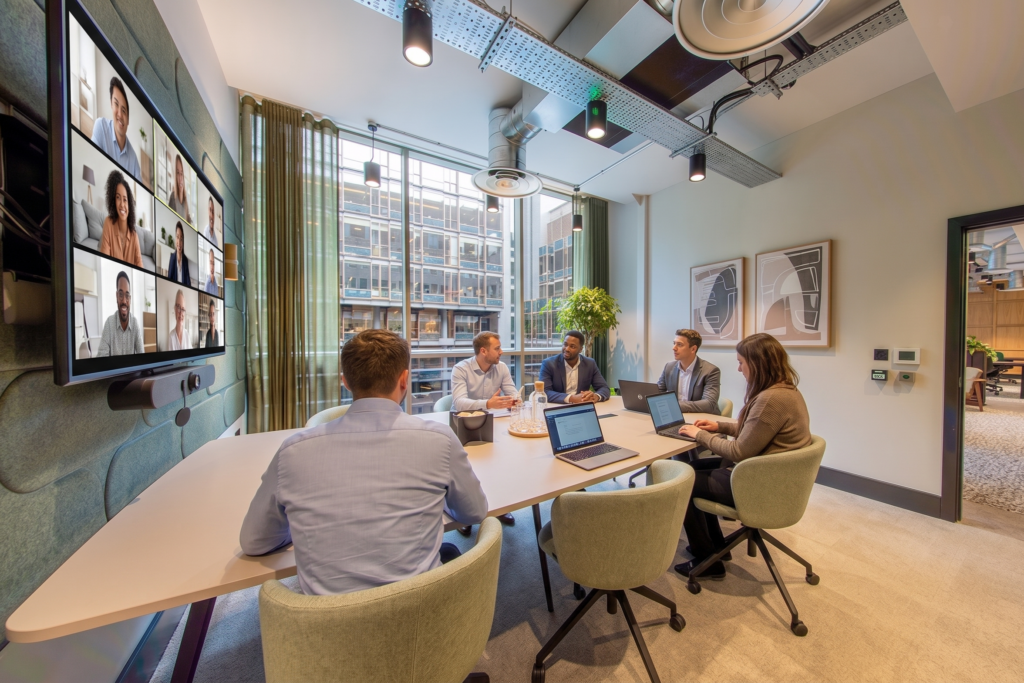
Running a successful hybrid meeting comes down to one principle: treat the remote attendees as equal participants, not observers. Adopt a remote-first mindset, plan for the barriers they face, and the in-room experience takes care of itself. A few practical habits make the biggest difference.
Share the agenda and any documents in advance, so nobody is squinting at a screen trying to follow along. Appoint a co-pilot whose job is to watch the chat, flag raised hands and make sure remote voices are heard. Bring remote people in by name rather than waiting for them to interrupt, because the natural flow of a room tends to leave them behind. When you go around for input, start with the remote attendees first.
Keep one clear speaking order and encourage people to signal before they talk, which stops the in-room crowd talking over the call. Plan breaks, because staring at a screen is more tiring than sitting in a room, and long hybrid sessions drain remote attendees faster. Finally, ask for feedback afterwards; a quick question about what worked will sharpen every meeting that follows.
Most hybrid meetings fail for the same handful of reasons, and all of them are avoidable. The biggest is audio: using two microphones or two sets of speakers in one room creates echo and feedback that makes the call painful. Stick to one microphone and one speaker, or a room system designed for the job.
The other common traps are just as fixable. Using a physical whiteboard or flip-chart that remote people cannot see excludes half the room, so switch to a shared screen or digital equivalent. Letting the in-room group dominate the discussion sidelines everyone at home. Forgetting to share your screen leaves remote attendees staring at a wall. And having nobody responsible for the technology means a glitch derails the whole session. Assign that role before you start, many of these overlap with the wider mistakes to avoid when hiring a meeting room, so it is worth checking those too.
If your team does not have a room with the right camera, audio and screen, hiring one is usually the simplest way to run an important hybrid meeting without the tech risk. For a one-off client pitch, an interview panel or a training day, a ready-equipped room removes every worry about whether the call will hold up. You turn up, connect and get on with it.
This is exactly what our flexible meeting rooms are built for. Every room across our five North West locations comes with video conferencing, wireless presentation, a large display and high-speed internet as standard, so each one is ready for a hybrid meeting the moment you book it. Rooms range from small spaces for interviews and focused sessions up to a 70-person boardroom at The Point in Warrington, so you can match the room to the meeting.
Every room below comes with video conferencing and a large display as standard, so in-person and remote people can take part equally. Scroll to find yours.
A premium room with a full AV solution and an impressive 98″ screen, ideal for presentations, workshops and client meetings.
A naturally lit room overlooking the city centre with a 4K widescreen monitor, built for larger meetings, training and video-conferences.
A comfortable, professional room for smaller team sessions, interviews and client meetings, with a full AV solution and a 65″ screen.
Fully equipped with a Logitech Rally Bar meeting-room solution, so you can take control of virtual meetings, plus a 4K 65″ Sony display.
A modern room for anything from quick catch-ups to full-day sessions, with high-quality video conferencing, a presentation screen and in-room Nespresso coffee.
The largest Parklands room, seating 20 boardroom-style or up to 35 in other layouts, with a 4K widescreen monitor and video conferencing.
A versatile mid-size room for meetings, training or video-conferencing, with a 4K widescreen monitor and high-speed internet.
A mid-size meeting, training or video-conference room with a 4K widescreen monitor, high-speed internet and a view over Bolton.
A mid-size space for meetings, training or video-conferencing, with a 4K widescreen monitor and complimentary tea & coffee.
A smaller ground-floor room for focused meetings and video-conferencing, fully accessible, with a large 4K widescreen monitor.
A boardroom-style space for larger sessions, with a wireless PA system, integrated video conferencing and a high-resolution display.
Hybrid meetings work when the room works. If you would rather not gamble on a laptop and a hope, book a room that is set up for the job, with the screen, camera, audio and connection already in place. Choose your nearest location, pick a room to suit your group size, and give everyone, in the room or at home, an equal seat at the table.
Quick answers on what hybrid meetings are, the kit you need, and how to run one well. Tap a question to expand it.
A hybrid meeting is one where some people attend in person, together in a room, while others join remotely by video. It combines face-to-face and virtual attendance so a team split across locations can meet as a single group.
A hybrid meeting needs a camera that shows the room, clear audio so every voice carries, a large screen for remote faces and shared content, and fast, reliable internet. Every Orbit meeting room includes video conferencing, wireless presentation, a large display and high-speed internet as standard.
The best layout puts the screen and camera where everyone in the room can see the remote participants and be seen by them. A boardroom or horseshoe arrangement works well, with the display at the head of the table so in-room and remote people share the same focal point.
Treat remote attendees as equal participants. Share the agenda in advance, appoint someone to watch the chat and raised hands, bring remote people in by name, keep one clear speaking order, and plan breaks. Using one microphone and one speaker avoids the echo that ruins most hybrid calls.