One of our team will be in touch with you shortly, in the mean time why not register an account with Orbit Spaces to access our spaces now.
 "
/>
"
/>
Booking a training venue is one of those jobs where mistakes happen in public. If the room is cramped, the screen won’t connect or the remote delegates can’t hear, everyone in the session sees it. Training venue hire in the North West gives you plenty of choice, which is helpful once you know what separates a room that works from one that quietly ruins the day. This guide sets out what to check before you book, in the order it matters.
It is written for the person doing the booking, whether that is an in-house L&D lead, an HR manager or an independent trainer who hires venues every month. Our flexible meeting rooms are used for training across five North West towns. The examples here come from rooms we run.
Look for a room with the right capacity in your chosen layout, technology that supports both in-person and remote delegates, and access that suits how your group will travel. You also want clear answers on what the booking includes and how far the venue will flex around your session. Everything else is detail on top of those four things.
The trap is judging a venue on how it looks in photographs. A room can photograph beautifully and still have the screen in the wrong place, no wall space and a car park that fills by nine. The questions below are the ones that actually predict how the day will go.
A capacity figure on its own tells you very little. Venues quote the maximum a room holds in its most efficient configuration, which is rarely the configuration a trainer wants. The same room can seat thirty in classroom style and twelve around a table.
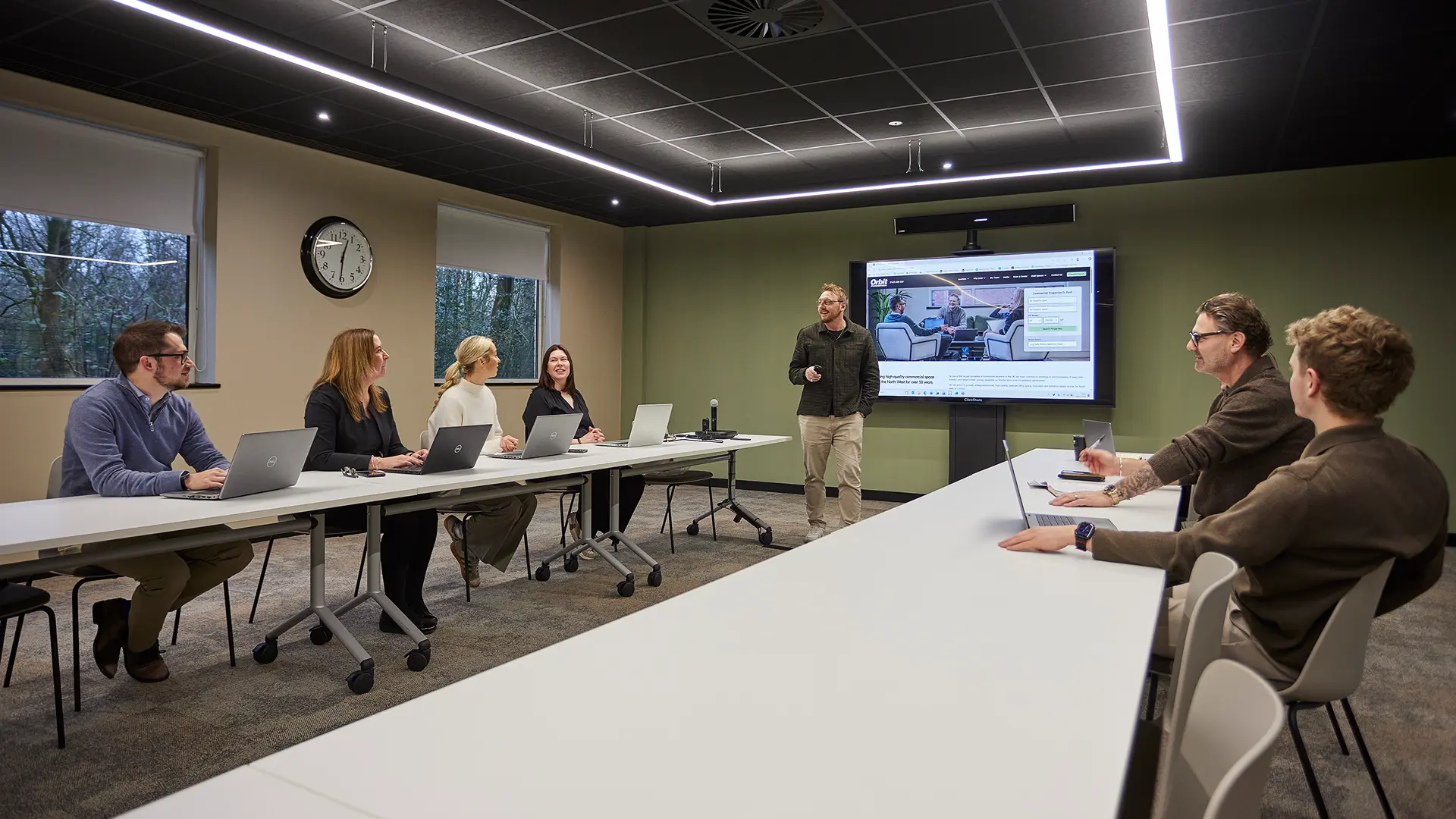
Room 5 at our Parklands 1A building in Bolton is a good example. It holds twenty people in a boardroom layout, and up to thirty-five in other setups. Neither number is wrong, but booking on the higher figure when you need tables for note-taking would leave you short.
So work backwards from your session rather than from the room. Decide what delegates need to do first, then ask what capacity that layout allows.
Everyone around one table, facing in. Best for interactive discussion and note-taking with smaller groups.
Rows of tables facing the front. The usual choice for training, because delegates get surface space for materials.
Seating only, no tables. Fits the most people in, so it suits shorter sessions with little writing.
Sofas and armchairs in an open arrangement. Useful for the breaks and discussion parts of a training day.
At Orbit, layouts are arranged on request rather than fixed, so it is worth telling us what you need at the enquiry stage. Get in touch with the group size and what delegates will be doing, and we will confirm what is possible in each room. Sorting this before the day is much easier than moving furniture on the morning.
Then ask about space to move. Group activities need floor area that seating plans rarely account for.
This is where most training days come unstuck, and it is the part venue listings describe most vaguely. “AV available” could mean a mounted screen or it could mean a working conferencing system with a camera that tracks the room.
Start with the basics. Check the display size, how you connect to it, and whether the connection is wired, wireless or both. Ask what happens if it fails, and whether anyone on site can help. Our buildings have an on-site tech support team, which matters more than any single piece of kit.
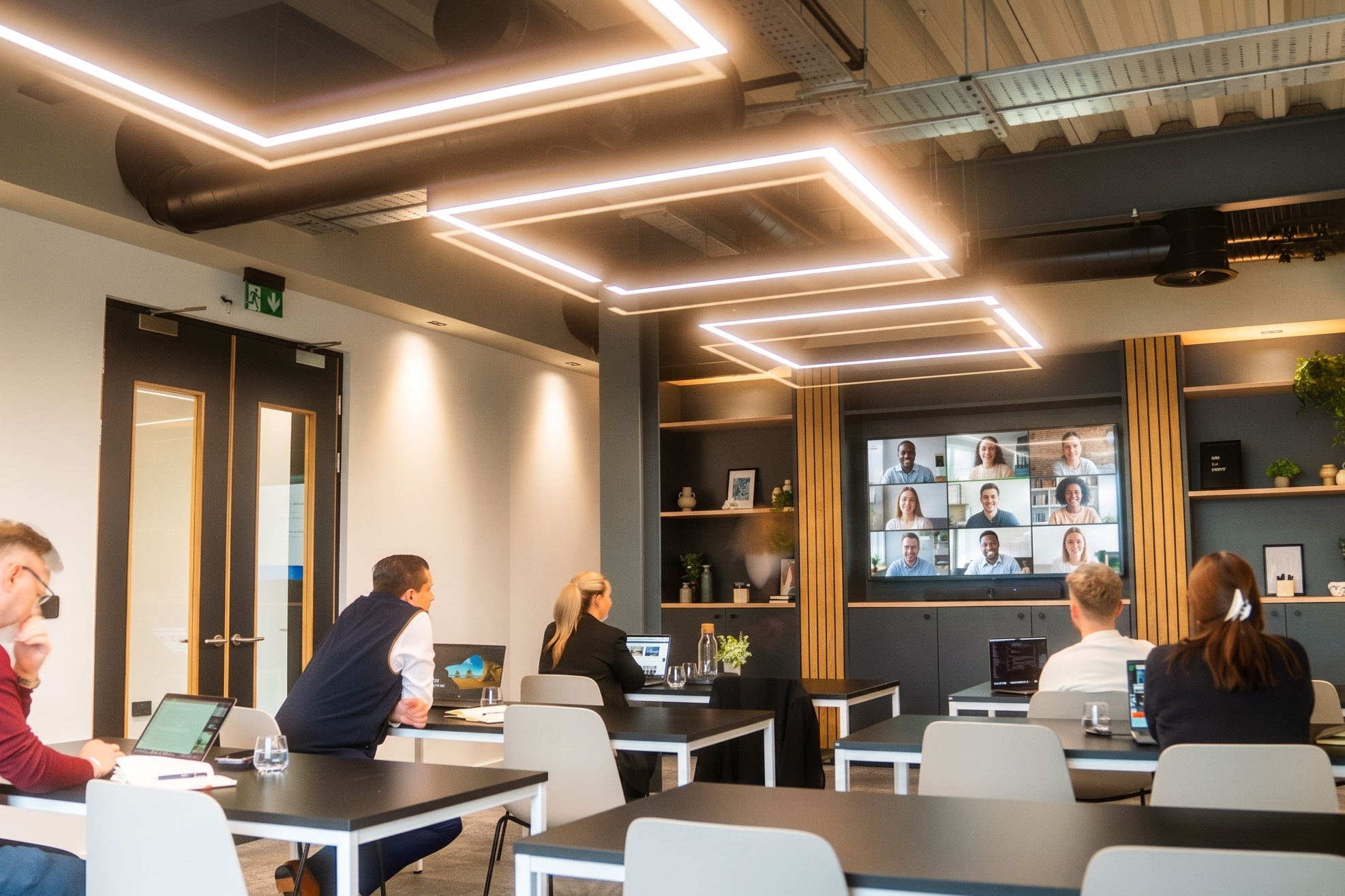
Then ask the question the older venue checklists skip entirely. Can the room handle hybrid delegates properly? Most training now runs with some people in the room and some dialling in, and a laptop webcam on a table will not carry a session.
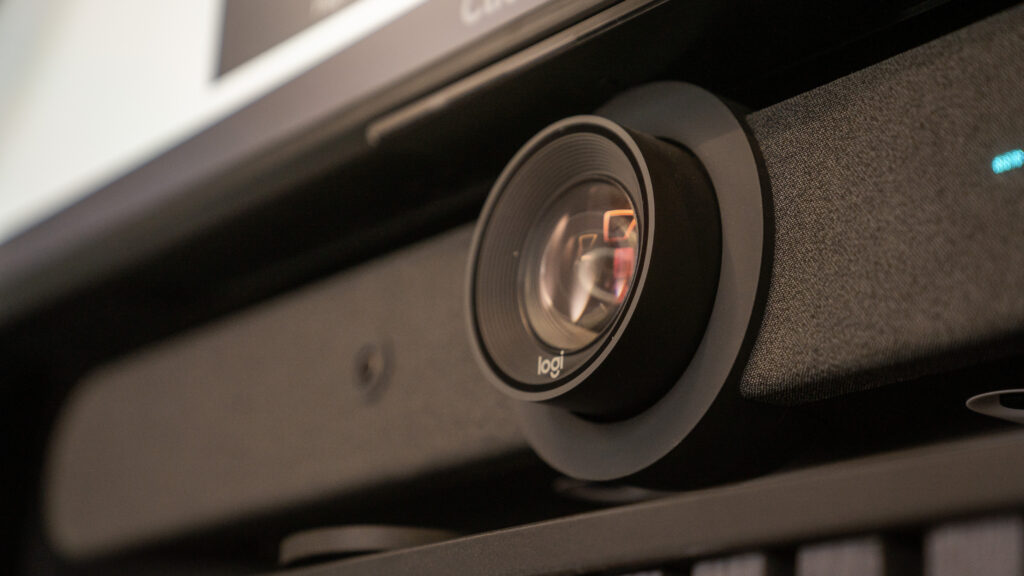
What you want is a room-scale system. Every Orbit meeting room uses a Logitech Rally Bar, which combines a 4K camera with auto framing, a microphone array and speakers built for the whole room. Auto framing means the camera follows whoever is speaking rather than staring at an empty chair. The microphone array picks up delegates across the room, not just the person nearest the laptop.
Content sharing is a separate question from conferencing, and venues often conflate the two. Our rooms also have Logitech Swytch and Barco ClickShare for getting your material onto the display. Ask specifically how you will present, because knowing this in advance saves ten minutes at the start.
For larger groups, ask about sound reinforcement. A wireless PA becomes necessary once a room is holding a substantial group. Our meeting room in Warrington, BIR:Two, has one built in.
Trainers who hire venues regularly ask about things that never appear in a brochure. Each of these seems small until it is missing.
Wall space. If you use flip charts and want to hang completed sheets, you need free wall and something to fix them with. Ask what you are allowed to stick to the walls.
Writing surfaces. Check whether a whiteboard or flip chart is in the room or has to be requested.
Power point positions. Delegates with laptops need sockets they can reach without cables running across the floor. Ask where the sockets are, not just how many there are.
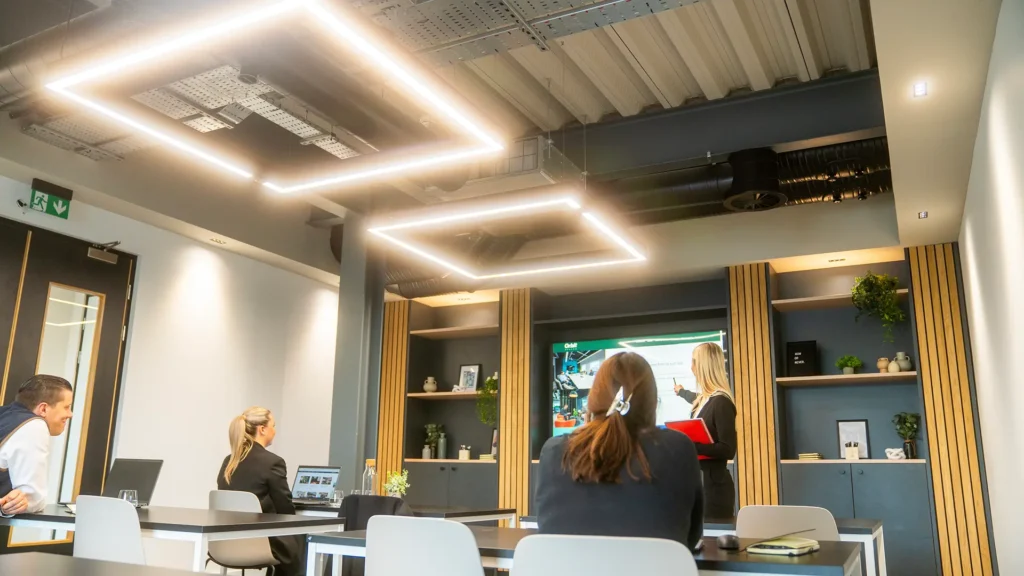
Light control. Bright rooms keep people alert, but you need to dim things for screen work. Lighting across our buildings is dimmable, so both are possible in the same session.
Temperature. Find out whether heating or cooling can be adjusted in the room itself.
Access times. Confirm when you can get into the room to set up, and when you need to be out. Do this early, because a session that runs nine to five needs the room before nine.
Attention does not last a full day without breaks, so the space around the room matters as much as the room. Ask where delegates go at eleven and at lunch, and whether that space is yours or shared.
Check what refreshments are included and what has to be ordered. All our buildings have coffee machines and Nespresso machines on site. If you need catering brought in, ask about lead times and options well before the day.
It also helps to know what is nearby. All our buildings sit close to a retail park or town centre. That gives delegates several options at lunch without a long walk.

Treat this as a standard part of booking rather than an afterthought. You are responsible for delegates being able to attend, and you cannot answer that on their behalf.
Ask the venue directly about step-free access to the room itself, not just the building entrance. Confirm accessible toilet facilities and whether any hearing support is available. Ask how dietary requirements are handled if food is involved.
It is worth asking delegates in advance what they need, then putting those requirements to the venue as specifics. A general question to a venue gets a general answer, and general answers are not much use on the day.
It depends on how your group travels. If delegates drive in from across the region, motorway access and parking matter most. If they come from city centres by train, walking distance from a station matters more.
Venues on the motorway network suit dispersed teams. Our two Bolton buildings both sit at Junction 6 of the M61. That puts our meeting rooms in Bolton within easy reach of the whole M61 corridor. The Point in Birchwood sits close to the M6, M62 and M56, giving it reach across Warrington, Liverpool and Cheshire. Regent House is just off Junction 1 of the M60.
City centre venues work differently. Our flexible meeting rooms in Manchester sit on King Street, a short walk from both Piccadilly and Victoria stations. For a group arriving by train from several directions, that beats any amount of parking.
Then ask the awkward question. How many parking spaces are actually available? Ask for a number, because “on-site parking” can mean forty spaces or four. Ask it early if you are bringing a large group by car.
Rail matters even at business park locations. Parklands is within walking distance of Horwich Parkway, and Futura One is around fifteen minutes on foot from the same station. The Point is a thirteen-minute walk from Birchwood station.
Facilities get all the attention, but booking terms cause most of the friction. Ask these before you commit:
Work through these with any venue before you commit. Tick them off as you go.
Not sure which of our rooms fits your session? Tell us the group size and format and we will point you at the right one.
On day rates, the arithmetic is worth doing. The Training Room at Regent House is listed from £26 per hour or £172 per day. Room 5 at Parklands is from £44 per hour or £299 per day. BIR:Two at The Point is from £62 per hour or £407 per day. Any full training day is cheaper on the day rate than the hourly one, so book it that way from the start.
If you deliver a recurring programme, your requirements change. Consistency starts to matter more than any individual feature, because you want to build the session around a room you know.
Ask whether you can hold the same room across a series of dates. Ask whether there is any arrangement for regular bookings, and put the volume in front of them rather than booking each date separately.
Two practical questions save real effort. Can you leave kit on site between consecutive days? And can the venue keep your layout set up overnight? Both are worth asking, and both depend on what else is booked around you.
Then check how the room is likely to change. A venue that refurbishes rooms will tell you if you ask, and finding out mid-programme is worse than knowing.
Orbit Spaces has training-suitable rooms across the North West, with capacities from twelve people upwards. Every room includes a large display, video conferencing, dimmable lighting and on-site tech support, and layouts can be arranged on request.
 Up to 12
Stockport · Regent House
Built for sessions rather than conversations, with a whiteboard in the room and full conferencing for remote delegates.
From £26 / hour
View & book Up to 35
Bolton · Parklands 1A
Our largest Bolton room, holding 20 around a boardroom table or up to 35 in other setups. Junction 6 of the M61.
From £44 / hour
View & book Up to 70
Warrington · The Point
Our largest space, with a wireless PA system for presenting to a full room. Close to the M6, M62 and M56.
From £62 / hour
View & book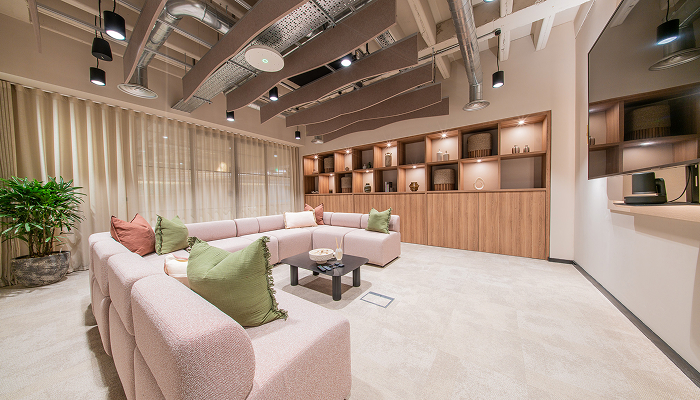 Up to 30
Manchester · District, 55 King Street
A city centre space for 20 to 30 people, available in classroom or theatre layout. Walkable from Piccadilly and Victoria.
From £109 / hour
View & bookCapacity figures vary by layout, so confirm the number for the setup you need when you enquire. You can compare all our flexible workspaces across the North West on one page.
Quick answers on layouts, capacity, technology and booking. Tap a question to expand it.
Look for the right capacity in your chosen layout, technology that supports remote delegates, access that suits how your group travels, and clear booking terms. Check the layout capacity rather than the headline maximum, since these often differ substantially.
It depends entirely on layout. The same room might seat thirty in classroom style, twenty in a conference setup and twelve around a boardroom table. Always ask for the capacity in the specific layout you need.
At minimum you need a large display, a reliable way to connect to it, and a conferencing system built for the room rather than a laptop. A camera with auto framing and a microphone array make a noticeable difference when delegates join remotely.
The better ones can. Every Orbit meeting room has a Logitech Rally Bar, which includes a 4K auto-framing camera, a microphone array and room speakers, plus Swytch and ClickShare for sharing content.
Book as early as your dates are fixed, particularly if you need a specific layout. Orbit rooms can also be booked the same day with a minimum of one hour’s notice when availability allows.
It depends on your delegates. Business park venues like Parklands 1A or The Point suit groups driving in from across the region. District on 55 King Street suits groups arriving by train from several directions.
Yes, and it is worth asking about at the enquiry stage. Tell the venue how many dates you need so they can hold the same room across a series rather than booking each session separately.